Tax Monitoring Dashboard Guide

This guide explains what each section of your Tax Monitoring Dashboard tracks and how it connects to your tax plan.
We use the information available to us to project your taxes for the full year and help you plan for withholding, estimated payments, and tax strategies.
We generally prepare or refresh your projection during onboarding, when we file your tax returns, during your Mid-Year Review, and during your Year-End Review. We may also update it between those checkpoints when changes in your income or tax plan call for a new projection.
Key Metrics
These metrics summarize the income assumptions and update date behind your tax projection.
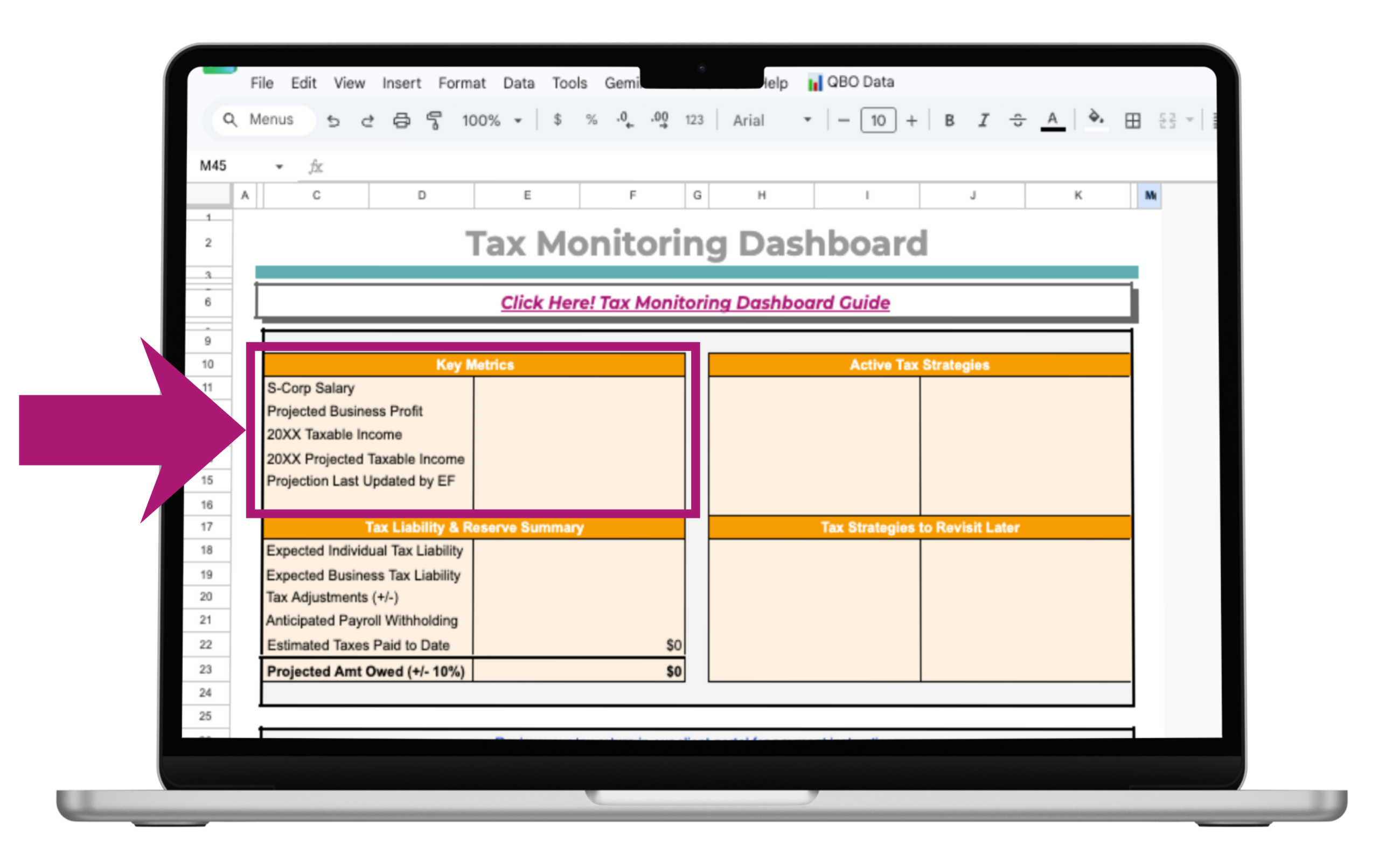
1. S-Corp Salary
The annual salary floor we have established for you as an S-corporation owner through our reasonable compensation analysis. Your actual salary may be higher when that supports your tax plan. This field shows the minimum annual salary we have determined for you.
2. Projected Business Profit
Our estimate of your business profit for the current year after business expenses. We use your business results and the information you provide to develop this estimate. Let us know if you expect a meaningful change in revenue or expenses.
3. 20XX Taxable Income (Last Year)
Your household taxable income from the prior year’s filed tax return. It reflects income from all applicable sources after deductions and adjustments used to determine taxable income. It is different from business revenue, payroll, or the cash you took home.
4. 20XX Projected Taxable Income (This Year)
Our estimate of your household taxable income for the current year, based on expected income, deductions, and the tax strategies reflected in your plan. We use this estimate to project your tax liability and evaluate your payment needs.
5. Projection Last Updated by EF
The date Evolved Finance last meaningfully refreshed your tax projection. Our usual update points are onboarding, filing your tax return, your Mid-Year Review, and your Year-End Review. This generally means three recurring updates each year, plus onboarding. We may also refresh the projection when circumstances change between those checkpoints.
Recording an estimated payment or editing a strategy note alone does not mean we have refreshed the projection. If a planning review has not taken place, the date may continue to reflect the last projection we completed.
Tax Liability & Reserve Summary
This section brings together projected taxes, tax adjustments, payroll withholding, and estimated payments to show your projected remaining tax balance for the year.
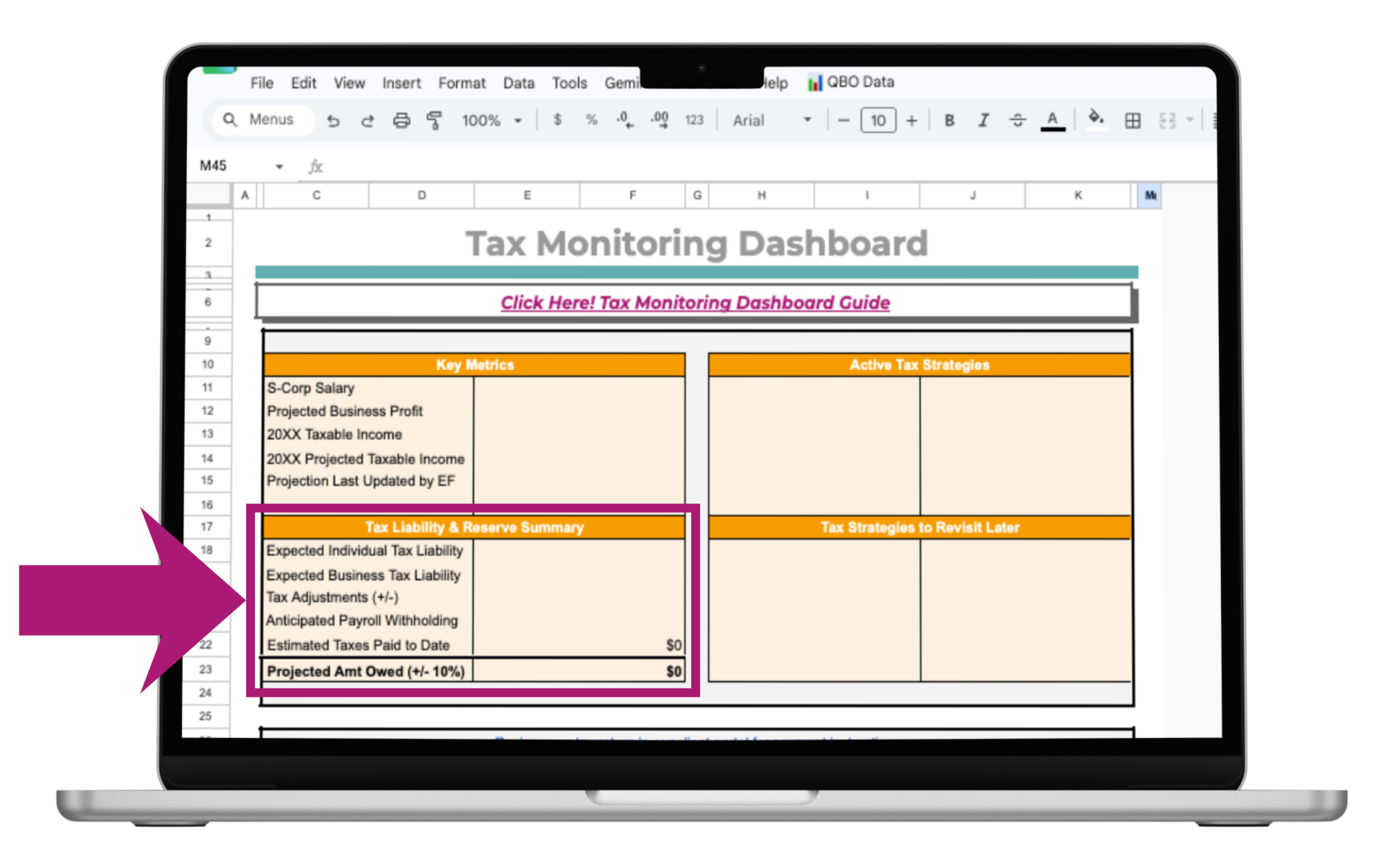
1. Expected Individual Tax Liability
The projected personal or household tax amount used as the starting point for your tax calculation. Separate business-level taxes appear on the next line. Credits and other taxes that are not already included are reflected in Tax Adjustments.
2. Expected Business Tax Liability
Projected taxes owed separately by your business or entity. These depend on your business structure and the jurisdictions where it operates and are separate from the taxes on your personal return.
3. Tax Adjustments (+/-)
The net effect of tax credits and other taxes that need to be included in your projection. Examples can include child tax credits, self-employment tax, and net investment income tax, when those items are not already included in the tax liability figures above.
Credits reduce projected taxes, while additional taxes increase them. A positive net adjustment increases the projected amount owed; a negative net adjustment reduces it.
4. Anticipated Payroll Withholding
The total income tax withholding we expect from your and/or your spouse’s paychecks for the full year. This includes withholding that has already occurred and withholding expected during the rest of the year. It is accounted for separately from estimated tax payments.
5. Estimated Taxes Paid to Date
The total estimated payments recorded in the payment tables, including any prior-year refunds applied to the current year. This amount does not include payroll withholding, which is reflected separately above.
6. Projected Amount Owed (+/- 10%)
Your projected remaining tax balance for the year. We combine expected individual and business tax liabilities, add or subtract tax adjustments, and then subtract anticipated full-year payroll withholding and estimated taxes paid to date.
A positive amount means you are projected to have a remaining balance to cover through additional payments or savings. A negative amount indicates a projected overpayment or refund, based on the assumptions in your plan.
The +/- 10% label reflects the approximate nature of the projection. Your actual result may change as income, deductions, tax strategies, or timing change during the year.
Important Note About Timing
This is a full-year projection, even when the year is not over. It can include income you have not yet earned and withholding expected later in the year. The projected balance is not necessarily due today; it helps you plan ahead for payments and savings.
Tax Strategy Tracker
This section shows the strategies included in your tax plan and the opportunities we may evaluate later.
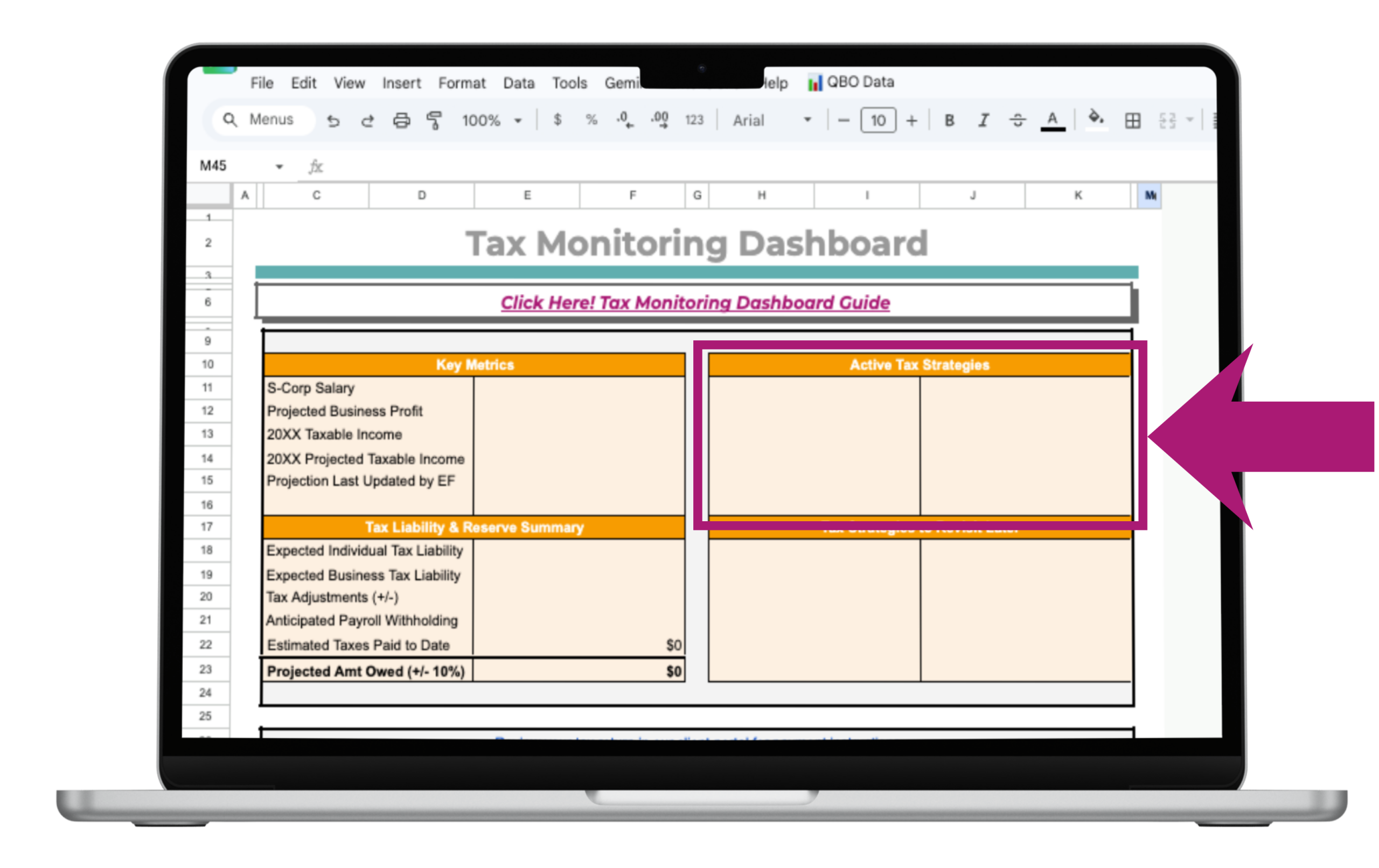
Active Tax Strategies
These strategies are currently in place, being implemented, or actively managed. The left column identifies the strategy. The right column contains notes, actions, or timing, such as a contribution review during YER 20XX.
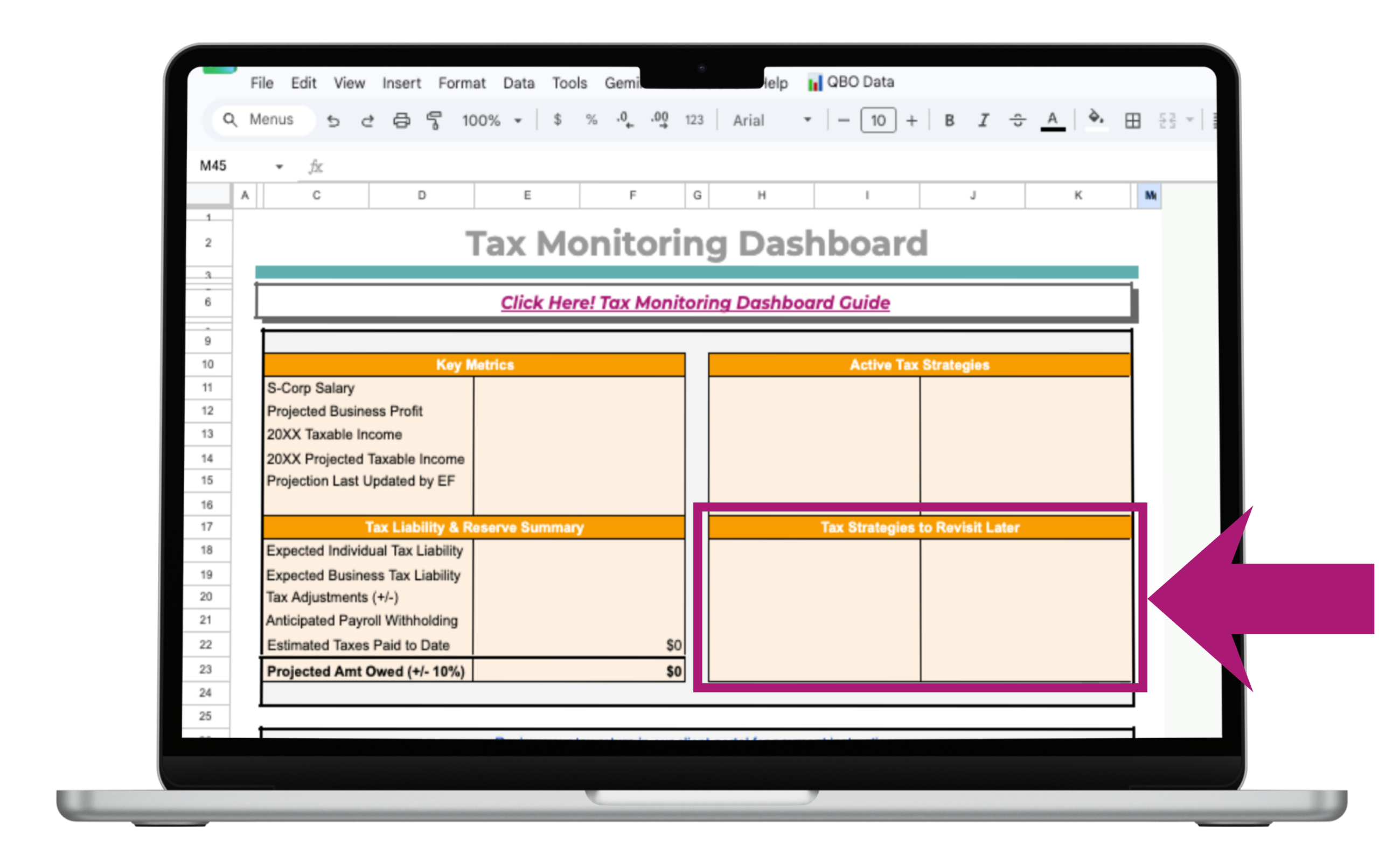
Tax Strategies to Revisit Later
These are potential tax strategies that aren't being implemented right now but should be kept in mind for future planning conversations.
Tax Abbreviations Used in Strategy Notes
- MYR (Mid-Year Review): “MYR” refers to our Mid-Year Review window, which typically runs from early May through late summer. If you see MYR 20XX next to a strategy, it means: “We’re flagging this to review during your Mid-Year Review in that year.” This helps us park items that aren’t urgent today, but should be revisited once we have more year-to-date results and clearer projections.
- YER (Year-End Review): “YER” refers to our Year-End Review window, which typically kicks off around November 1. If you see YER 20XX next to a strategy, it means: “We’re flagging this to review during your Year-End Review in that year.” This is when we focus on time-sensitive decisions and finalize year-end action items based on near-final numbers.
Quarterly Estimated Tax Payments
This section tracks recommended estimated payments, amounts paid, and payment dates. Each table identifies the jurisdiction and tax type. You may have separate tables for individual taxes and several types of business taxes.
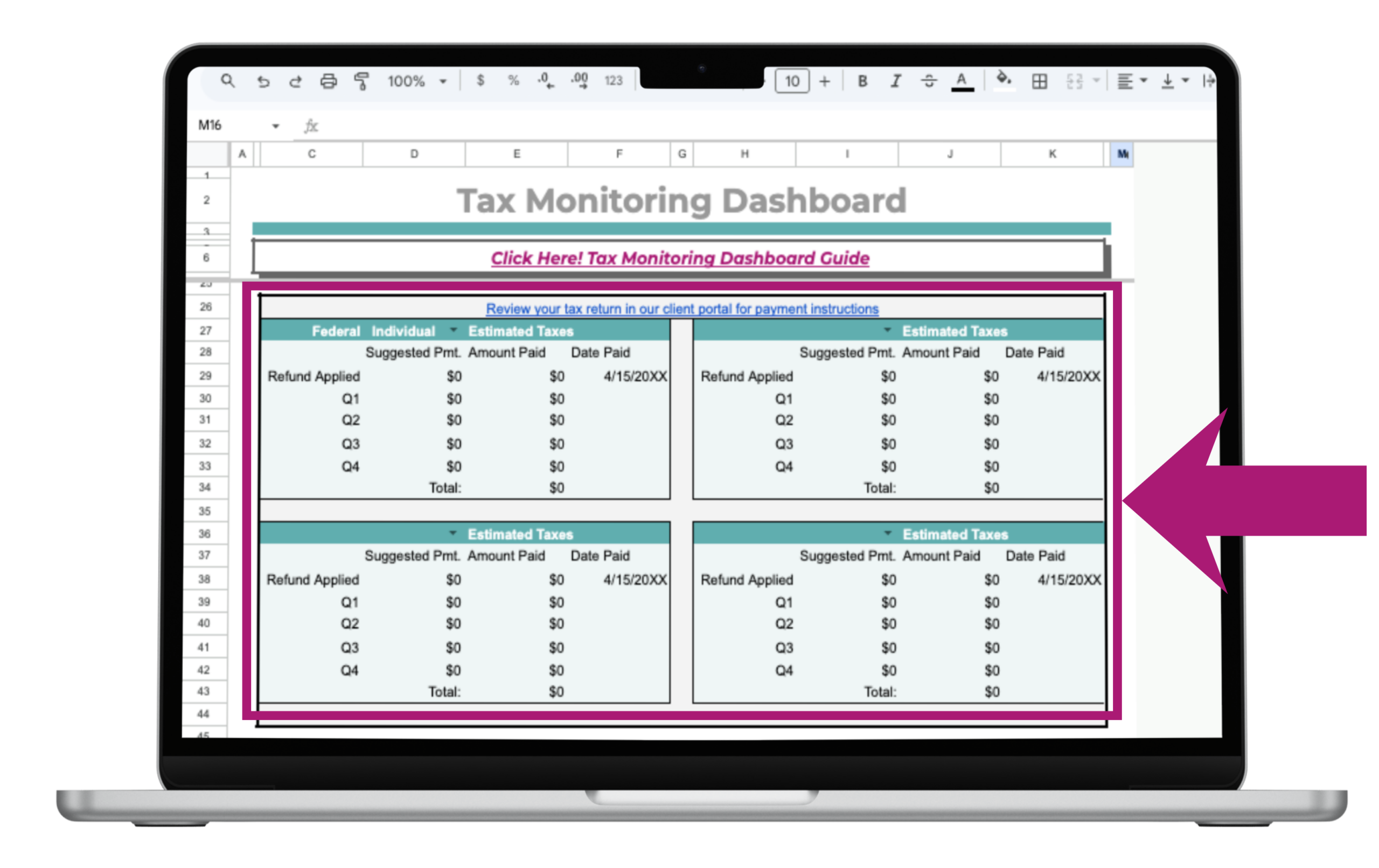
Suggested Payment
This is what we recommend paying for that quarter based on your current projections. In most cases, we set this at your “safe harbor” amount and no more. Philosophically, we generally do not recommend paying above safe harbor. If it looks like you may owe more than safe harbor by year-end, our preference is to help you set aside the additional amount in savings (so you keep control of the cash) and then true it up when we have more clarity later in the year.
- As the year progresses and we get better data, we may adjust suggested payments downward.
- We generally do not increase suggested payments above safe harbor, even if projections rise, because we’d rather you hold the extra cash in savings than send it in early.
Amount Paid
This is the amount that was actually paid for that quarter.
- If you make your own estimated payments, this is typically entered after you pay (or after you confirm the payment details to us).
- If we’re handling payments for you, you’ll see “EFT” in the Date Paid column. This indicates the payment is being submitted automatically on your behalf and no action is needed from you for that quarter.
Date Paid
This shows when the payment was submitted/confirmed.
- If you make your own payments, enter the date you submitted the payment (or provide it to us so we can update the dashboard).
- If you see EFT/EFW in this column, it means you’ve elected for us to submit the payments electronically on your behalf and you do not need to make a separate payment for that quarter.
EFT/EFW (Electronic Payment Handling)
If “EFT/EFW” appears in the Date Paid column, it indicates the client has elected for us to submit estimated tax payments electronically on their behalf. We can only do this for clients where we have filed at least one tax return season (or otherwise have the required setup on file). If you’re a brand-new client, you may need to submit estimated payments directly until that setup is available.
Refund Applied
If you chose to apply a prior-year tax refund to the current year, it will show here as a credit applied toward this year’s estimated payments.
Individual and Business Estimated Taxes
Individual tables track personal or household income tax payments. Business tables track taxes owed at the business or entity level.
BIZ or Biz. means business. A table may use a general Business label or identify a specific tax, such as Biz. PTET for a pass-through entity tax. The labels depend on the taxes that apply where you live or do business. PTET is one of several business-tax types.
The payment columns work the same way across these tables. Use the jurisdiction and tax-type labels to identify where each payment belongs.
Your dashboard's accuracy depends on the information available to us.
Tell us about meaningful changes in income, payroll, business activity, or tax strategies so we can assess whether to refresh your projection.
Stay engaged during onboarding, tax return filing, your Mid-Year Review, and your Year-End Review. We may also refresh projections between these checkpoints when circumstances change. Projection Last Updated by EF shows when we last refreshed yours.
Questions about your Tax Monitoring Dashboard? Please reach out to your Evolved Finance Tax Account Manager.